
Cloud Accounting Software for Controllers and CFOs

Authored by
Varun
Date Released
21 Jul, 2026
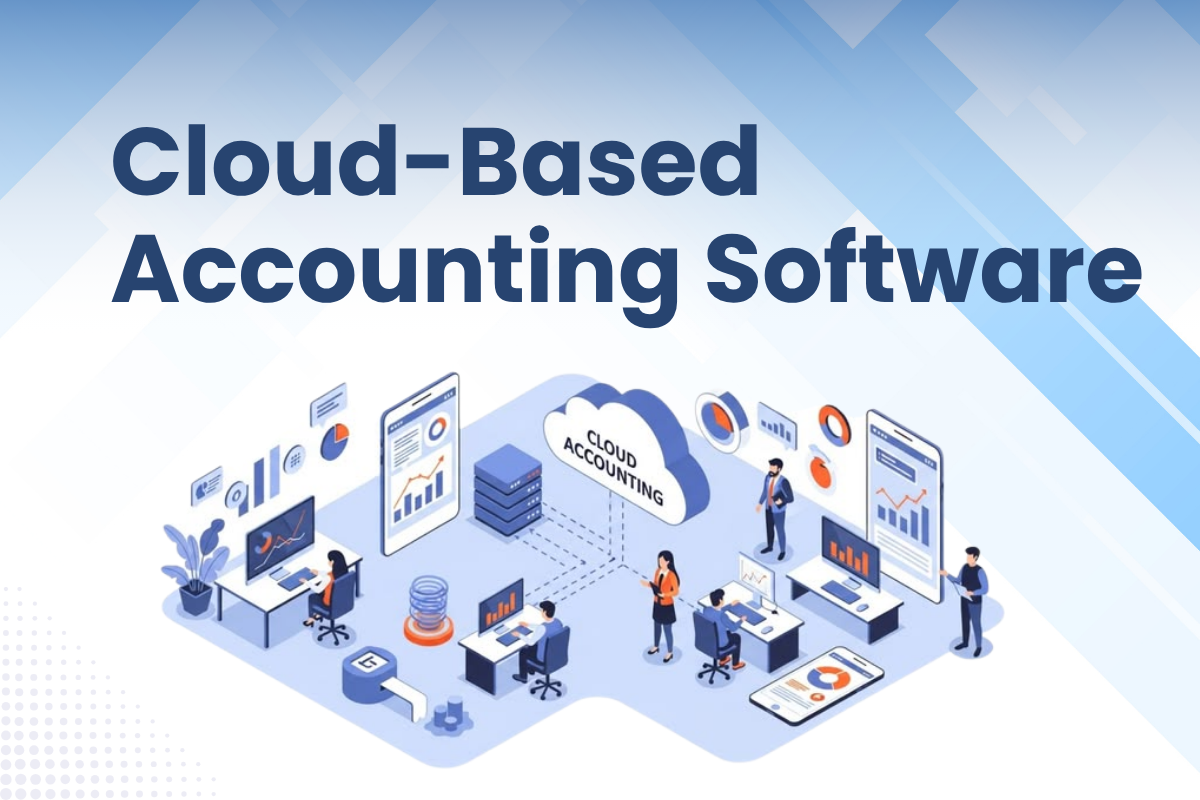
A finance team that is still emailing spreadsheets back and forth at month-end often experiences the transparency problem. For a controller managing several client accounts or a fractional CFO trying to review performance before the next client meeting, outdated reports create unnecessary work and slow down decisions. Cloud-based accounting software brings financial data, reporting, collaboration, and recurring processes into one connected environment, offering finance teams a clearer view of the numbers without manually creating the same reports every month.
What Is Cloud-Based Accounting Software?
Let's understand what cloud accounting software is. Cloud-based accounting software helps firms manage financial operations by using an internet connection instead of installing software on office computers. It supports real-time access, stores shared financial data remotely, and manages updates automatically.
In simple terms, cloud accounting means easier, connected financial control.
Cloud-based accounting software meaning & definition
Cloud-based accounting software is an online system used to record, manage, and balance financial information through the internet. Instead of storing data on one office computer or local server, it runs on a cloud provider's platform.
So, what is cloud accounting in everyday terms? It's a flexible way to manage ledgers, receivables, and payables remotely, from almost anywhere.
Table of Contents
How does cloud-based accounting software work?
A provider's remote servers host cloud-based accounting software, and it is accessed via a browser or mobile application. The finance team does not have to rely on one office computer because users usually sign in from a tablet, laptop, desktop, or smartphone.
So, how does cloud accounting software work in practice? Cloud accounting software is integrated with bank accounts and other business systems so that it can automatically record transactions in digital ledgers.
It refreshes its dashboards as new data arrives. Authorized users can check financial operations, transactions, and reports in real time, whereas the provider handles updates and maintenance.
Cloud-based accounting software vs. traditional accounting software
| Cloud Accounting vs. Desktop Accounting | Cloud-based accounting software | Desktop Accounting |
|---|---|---|
| Data storage | Financial data is stored securely on the provider's remote servers. | Data is stored on local computers or company servers. |
| Updates | Updates and maintenance are generally handled automatically by the provider. | Users must install updates and manage maintenance themselves. |
| Collaboration | Multiple authorized users can access the same real-time financial data. | File sharing and manual syncing may be needed for teamwork. |
| Scalability and cost | In cloud-based accounting software vs. traditional systems, cloud tools scale easily with subscription pricing. | Desktop systems may require extra licenses, hardware, and IT support. This is a major point in cloud accounting vs. desktop accounting. |
| Access | Accessible through the internet from laptops, phones, or tablets. | Usually accessible only on computers where the software is installed. |
Key Features of Cloud-Based Accounting Software
Cloud-based accounting software features have gone far beyond basic bookkeeping functions. Modern tools combine automation, shared access, linked financial data, reconciliation, and reporting in one location. Together, these features of cloud accounting software help finance teams reduce repetitive work and understand business performance sooner.
Real-time financial data access from anywhere
Cloud-based accounting software allows authorized users to sign in using a browser or mobile device from anywhere. As monetary transactions enter the ledger, real-time accounting software updates key numbers, allowing teams to take a current view of reports, transactions, and other financial activity.
Automated invoicing & expense tracking
Key cloud accounting software features include automated recurring invoices, digital receipt recording, automatic transaction entry, and approval-based routing. With automated invoicing and cloud accounting, businesses can send invoices on scheduled dates, record expenses faster, and reduce time spent entering data manually.
Multi-user collaboration & team access
Cloud-based accounting software keeps financial information in one shared system. Accountants, managers, and approved employees can access the same records according to their permissions. This makes multi-user accounting software quite useful for remote teams, external accountants, and departments working together.
Bank reconciliation & transaction matching
Cloud accounting software is linked with the firm's bank accounts and transfers monetary or normal transactions directly into the ledger. Then, bank reconciliation in cloud accounting compares bank records, invoices, and accounting entries, which helps teams identify differences and finally close their accounts more efficiently.
Automated matching can reduce the amount of repetitive reconciliation work, but it does not remove the review layer. A suggested match or flagged transaction still needs someone with enough accounting context to decide whether it is correct, requires an adjustment, or needs further investigation.
Financial reporting & analytics dashboard
Cloud-based accounting software presents current custom reports, dashboards, and detailed access to individual transactions. Financial reporting cloud accounting helps users compare results, record trends, notice strange variances, and make decisions using real-time numbers rather than traditional spreadsheets.
For a fractional CFO or controller, the value is not simply seeing another dashboard. A real-time dashboard for CFOs is useful when the underlying books are updated, the reporting logic is consistent, and an analyst is reviewing unusual movements before those numbers reach the client.
Why Real-Time Dashboards Still Need a Review Layer
Real-time reporting solves one problem: how quickly information becomes visible, but it does not clarify whether that information makes sense or not.
A live dashboard may show an unexpected movement in gross margin, cash flow, accounts receivable, or operating expenses within seconds. But it does not always identify whether that movement reflects a genuine functional change, a classification issue, incomplete data, or an accounting adjustment that needs to be made.
That is why live financial reporting for controllers still needs a human review layer. An experienced finance professional provides the context behind those exceptions and determines what needs further attention.
This reflects TAG's broader approach to automation and AI-assisted finance workflows, where technology removes repetitive execution and makes information available faster, while professional judgment, context, and final review remain with people.
Top Benefits of Cloud-Based Accounting Software
The benefits of cloud-based accounting software go beyond replacing spreadsheets. It gives businesses faster access to financial information, reduces technical work, and supports accurate accounting. These cloud accounting software benefits save time while making finance easier.
Access your accounts anytime, anywhere
A cloud-based accounting software benefit is that it offers uninterrupted access using a browser or mobile application. With the help of remote access cloud accounting, authorized employees can verify reports, accept payments, send invoices, or check cash flow while operating remotely or traveling. Everyone sees financial information, not an old saved file.
Cost savings - no hardware or IT setup needed
The cloud-based accounting software cost is more predictable because businesses pay through a subscription rather than purchasing local servers. Cost-effective cloud accounting also reduces spending on installation, hardware, manual backups, upgrades, and IT support. This makes implementation simpler for smaller teams.
Automatic software updates & data backups
Useful cloud accounting software benefits include automatic maintenance and backups. The provider manages automatic updates to cloud accounting, adds features, and reflects changes to tax or accounting rules. Financial data is backed up online too, so teams do not handle every technical task themselves.
Scalability as your business grows
Scalable cloud accounting software increases as the number of users, transaction volumes, or locations increases. So companies can start with basic tools and later can add functions or integrations. These cloud-based accounting software benefits help avoid replacing the system whenever the business reaches its next stage.
Improved data security & compliance
Cloud accounting software security often includes secure encryption, regulated access, inspection, and automatic backup systems. Because even if an office device is lost or damaged, cloud-based accounting software makes the data available by storing records online. Automated calculations and accurate financial reports ensure tax and accounting compliance.
Who Should Use Cloud-Based Accounting Software?
Who should use cloud accounting software? The answer to this query is that it is best for organizations that want simple access to financial data, very few manual processes, and a system that can update as operations change.
Cloud accounting for small businesses & startups
Cloud-based accounting software greatly benefits small business owners with tight budgets and very small teams. They can start with bank transactions, invoicing, expenses, and reporting, then later add features. Cloud accounting for startups also reduces the demand for servers or a massive IT setup. Whereas live information helps founders in tracking cash and making smart, quick decisions.
Cloud accounting for growing mid-sized businesses
As transaction volumes, entities, and reporting requirements increase, visibility can become a bigger problem than the software itself.
A controller handling cloud accounting software mid-size business platforms and a growing roster of clients needs live financial reporting across those accounts without manually rebuilding separate spreadsheets every month.
Similarly, a fractional CFO may need current numbers across several engagements before moving into forecasting, scenario analysis, or a client discussion.
Cloud-based accounting software can handle more users and intricate structures without requiring a complete system rebuild. In order to create a clearer flow of information across departments, it may also connect accounting with CRM, payroll, inventory, billing, or e-commerce tools.
That connected context can give finance professionals more consistent access to client information while reducing the amount of time spent collecting and restructuring data before the actual review begins.
Cloud accounting for remote & distributed teams
Cloud-based accounting software that remote teams can access through a browser or app from any remote location. The same real-time data is used by employees, accountants, external advisers, and managers, which automatically reduces emailed spreadsheets and version errors.
Another feature of cloud accounting software is permission-based access, which allows each person to access only the information and perform tasks relevant to their position and role.
This is especially relevant to an embedded or extended finance team, where internal finance leaders and external specialists may need to work within the same reporting workflow without creating disconnected duplicates of the client's financial data.
When a Dashboard Comes Built Into Your Finance Engagement
Not every finance team needs another standalone piece of software to manage. In some engagements, the dashboard works better as the visible reporting layer of the accounting or FP&A work already happening underneath it.
TAG follows this approach by offering its white-label financial dashboard as part of a broader accounting or FP&A engagement rather than selling it as a separate product. The dashboard connects with accounting environments such as QuickBooks, Xero, or NetSuite so current financial information flows into a reporting view that is easier for the finance professional and their client to use.
For fractional CFO firms and CPA practices, this supports a branded client dashboard experience. The advisor remains the client-facing finance leader, while TAG can work as an embedded extension of the team to support the accounting, reporting, and FP&A execution behind that view.
The important distinction is that the dashboard is not the service by itself. The value comes from combining the reporting layer with the underlying financial work, review, and interpretation that keeps the numbers useful.
How to Choose the Right Cloud-Based Accounting Software
Let's first understand how to choose cloud accounting software. Start by understanding what your team actually wants. Because the best cloud-based accounting software you selected should match your present workflows, support long-term growth, and stay user-friendly for everyday use.
Ideally, a practical cloud accounting software comparison should focus on security, features, support, integrations, total cost, and scalability.
Key factors to evaluate before choosing
Before choosing cloud accounting software, check whether it handles costs, invoicing, automation, bank reconciliation, reporting, and multi-user access, and whether it fulfils company-specific needs. The cloud-based accounting software should be user-friendly, backed by trustworthy client support, and must be enough flexible to handle more firm transactions later. Hence, conducting a free trial helps teams test before committing to real workflows.
Must-have integrations - payroll, CRM & tax tools
Strong cloud accounting software integrations must integrate finance with payroll, e-commerce, inventory, payment, CRM, and tax systems. Such cloud-based accounting software features avoid repeated data entry and circulate data smoothly between departments. Check whether integrations are built within, API-based, or charged separately.
Security & data protection standards to look for
Cloud accounting software security should include strong encryption, multi-layered verification, routine backups, access controls, security audits, and natural disaster recovery. Also team should check whether the cloud-based accounting software follows relevant privacy, accounting, and tax requirements or ISO certifications that apply to their own organization and confirm how the selected provider supports those requirements rather than trusting that one certification or control framework fits every engagement.
How to Migrate from Traditional to Cloud-Based Accounting Software
A process to migrate to cloud accounting software should involve clearer data, detailed testing, and people who are not just transferring files. Whenever you switch to cloud-based accounting, you have to break the work into simple phases. Hence, a structured cloud accounting migration reduces disruption and helps in producing a new and reliable system that generates accurate figures from day one.
Step 1: Audit your current accounting processes
Start the cloud-based accounting software migration by evaluating how your current system is being used. How does the traditional system document monthly tasks, handle manual workloads, report, permit users, link departments, and deal with recurring errors?
Communicate with staff members who manage daily bookkeeping because they are usually aware of the cause of delays. Before you switch to cloud accounting, clean your duplicate contacts, inactive accounts, broken transactions, and outdated access rights.
Step 2: Choose & set up your cloud accounting platform
In the next step, make use of audit findings to compare available platforms against actual business requirements, rather than selecting them based only on price or brand.
Configure the chart of accounts, roles, approval processes, reports, entities, and bank connection information when you start the cloud-based accounting software setup. If someone is unsure how to switch to cloud accounting, then they should create a schedule, assign tasks, define the deadline, and prepare a plan for the rollback process.
Step 3: Migrate your financial data securely
Normally, a cloud accounting data migration covers the opening balances, fixed assets, account charts, receivables, payables, and required transaction history. Clean files and map records before importing them, and then run a migration test in a safe environment.
To properly migrate to cloud-based accounting software, review trial balances, bank balances, older reports, and financial statements against the old system before authorizing the final transfer.
Step 4: Train your team & go live
Effective cloud-based accounting software implementation demands specialized training using actual migrated data and not a generic demonstration.
Additionally, test connections and authorizations, preserve the old system available in read-only mode, and define an internal power user. And once the cloud accounting software goes live, compare both systems using at least one accounting cycle, record errors and acceptance level, and complete a final reconciliation process before wrapping up the migration process.
Common Challenges of Cloud-Based Accounting Software & How to Solve Them
The challenges of cloud accounting software are manageable with planning. Addressing cloud-based accounting software problems early keeps financial work secure, accessible, and dependable.
Internet dependency & connectivity issues
Cloud accounting software challenges include relying on a stable internet connection. Slow networks or power failures also interrupt work. So you have to keep backup connectivity ready, outline contingency procedures, and find a cloud-based accounting software provider with consistent availability.
Data security & privacy concerns
Cloud accounting software security must include strong encryption, multi-layered authentication, role-based access permissions, routine backups, and create awareness among employees. These controls ease the challenges of cloud-based accounting by reducing breaches and unauthorized access.
Learning curve & team adoption
Cloud-based accounting software adoption might create a sense of newness at first attempt, but with appropriate practical training, tutorials, and ongoing support, employees can conquer cloud accounting software challenges and can use the system more confidently.
Why Your Business Needs Cloud-Based Accounting Software Now
Cloud-based accounting software gives businesses current financial information, automation, and easier collaboration without tying accounts to one office system.
For a controller or fractional CFO, why use cloud accounting software now? It provides financial information ready for review without spending the first part of every reporting cycle gathering files, checking versions, and rebuilding reports. This cloud accounting for business growth creates more room for analysis, interpretation, and client conversations.
How cloud accounting future-proofs your business
Cloud-based accounting software is flexible enough to evolve as transaction volumes, users, and reporting needs shift. Additionally, future-proof cloud accounting offers improved integrations, remote access, automated updates, and scalable features.
This approach helps businesses to adapt easily to new standards, market shifts, and changing customer demands without constantly replacing traditional systems.
Real-time insights that help you make smarter decisions
Access to live dashboards and centralized data is a significant benefit of cloud accounting software. Cloud-based accounting software allows leaders to monitor cash flow, expenses, sales, and overdue payments as they change and to make faster decisions with fewer estimates.
Those insights are most useful when the dashboard sits on top of a reliable accounting and review process for finance leaders handling several clients. The goal is not simply faster data but having reliable, decision-ready information available when the CFO, controller, or advisor needs to act on it.
Startup Financial Planning & Growth Insights
1
How Financial Modeling Helps Startups Grow Smarter
›
2
How FP&A Drives Better Financial Decisions
›
3
Accounting and Bookkeeping Services
›
4
How Corporate Finance Supports Sustainable Growth
›
5
What a Fractional CFO Really Does for Small Businesses
›
6
How Ratio Analysis Reveals Business Performance
›
7
How Variance Analysis Improves Financial Planning
›
Conclusion
Cloud-based accounting software is a one-stop solution for disconnected spreadsheets, delayed reporting, and repetitive manual work. But technology alone does not create better financial decisions, because exceptions need accounting experts' review, as they understand what the numbers actually mean for the firm.
For CPA firms, controllers, and fractional CFOs, TAG can combine that technology with embedded accounting and FP&A execution. Its white-label financial dashboard forms part of that broader engagement, giving finance leaders a branded, current reporting view while TAG works as an embedded extension of the team to support the accounting, reporting, and FP&A execution that feeds into it. If your client's current month-end process still ends with disconnected reports, speak with TAG about what a live dashboard integrated into your existing finance workflow could look like.
Related Blogs



Common
Questions
Your Guide to Cloud Accounting...
Let us learn what cloud accounting software is. Cloud accounting is a flexible procedure of maintaining ledgers, payables, and receivables remotely, from almost any corner of the world.
The following are the benefits of cloud accounting software:
Access your accounts from anywhere at any time.
Saves costs because no hardware or IT setup is required.
Data backups and software updates take place automatically.
Scales as your business expands.
Offer enhanced compliance and data security.
Cloud accounting platforms can provide security features such as encryption, multi-factor authentication, permissions, and backups. However, the right security setup depends on the organization's requirements, so businesses should review the controls and policies of any provider before selecting a platform.
Cloud accounting software pricing depends on factors such as the number of users, transaction volume, required features, integrations, entities, and level of support. Rather than relying on a general price estimate, teams should compare providers based on their actual workflow and reporting requirements, and discuss the appropriate setup directly with them.
When we discuss cloud vs traditional accounting software, we notice that cloud-based accounting software is accessible through the internet on laptops, tablets, or Android phones. Whereas traditional accounting software is usually accessible only through computers on which the software is installed.